
Updating a Tool From the 1900’s
Client
Morgan Stanley is a global financial services company that provides a range of investment banking, securities, wealth management and investment management services.
Challenge
Renovate a twenty year old platform used by financial analysts to create and maintain financial models in Excel. Improve the workflow for key tasks and update the UI.
Context
The ModelWare tool has been used for over two decades by financial analysts around the world for financial modelling. While the backend was under refurbishment, our team was tasked with optimizing the workflow and bringing a modern update to the UI.
Financial modelling is the process of creating a summary of a company’s financial performance to forecast future outcomes. By combining historical data with an understanding of market and environmental factors, analysts make assumptions about future performance by looking at metrics such such as revenue growth, expenses, and capital investments.
My Contributions



UX Research
Getting to know end users can be challenging, especially in large organizations. We were fortunate that as an internal product our team worked closely with the support team as well as a group of analysts who were eager to help us untangle any weeds we found along the way.
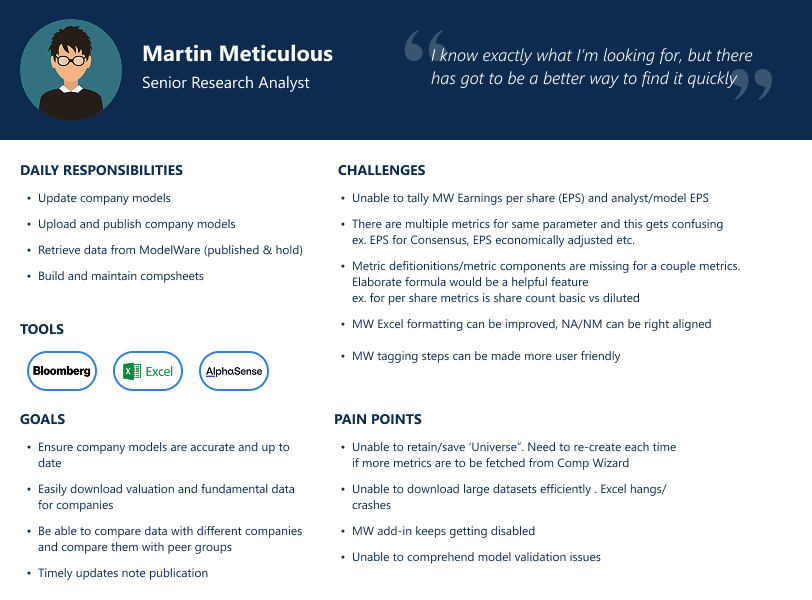
User personas, day in the life documents, and many interviews as the project progressed help us better understand how the tool would be used on a daily basis by our users.
User Workflows
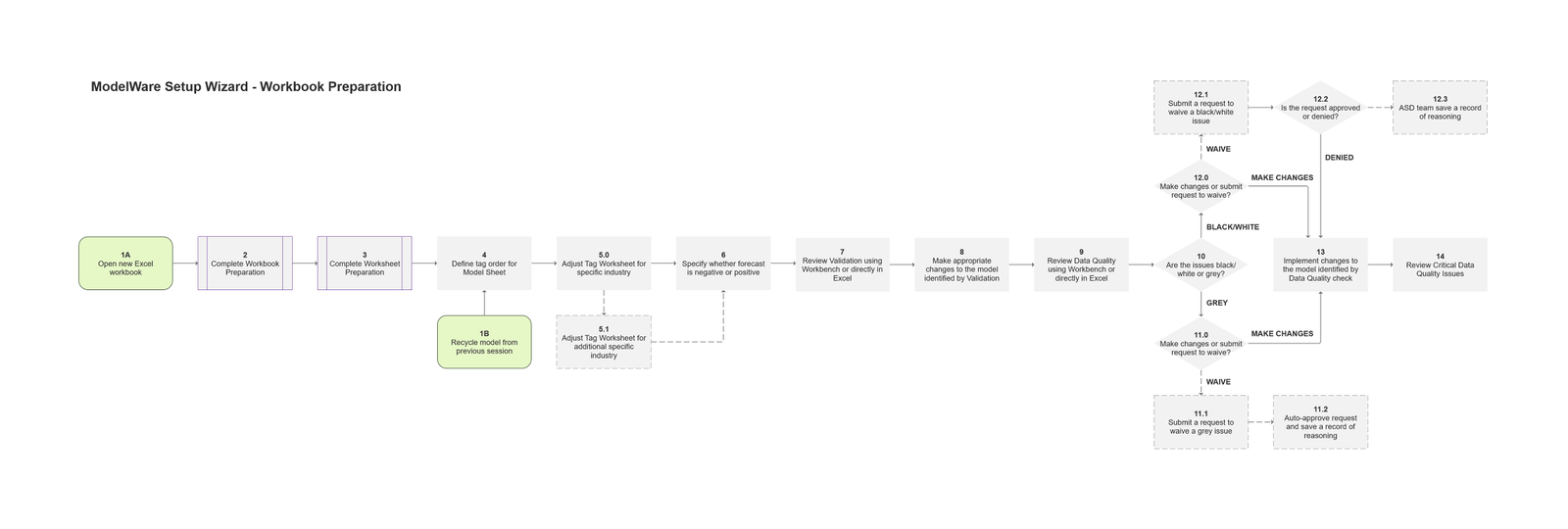
Documenting workflows was an essential part of this project, I needed to capture both the “current state” and the new workflows. This served as an important collaboration tool during our working sessions, and as a reference to ensure that all our teams were working towards the same goal asynchronously.
Revamp Strategy
This project was a massive undertaking, just the UX Team involvement alone spanned four years from project brief to the final launch of the renovated product. It was essential to break it down into smaller parts that we could focus on, one year at a time.
We opted for a sort of hamburger approach, where we began with the Setup and Submission workflows, then used that as a foundation to build out the more complex parts of the tool.

UI Design
This project was simply too big for just one designer. I worked closely with a UI Designer from the very beginning of the project in the planning stages, all the way to final implementation and QA testing.
Halfway to project completion, our team was informed that another department had initiated a change in their tech stack, which unfortunately would impact our project. We had to switch our UI library. Not a few components, the entire design system.
Setup Wizard
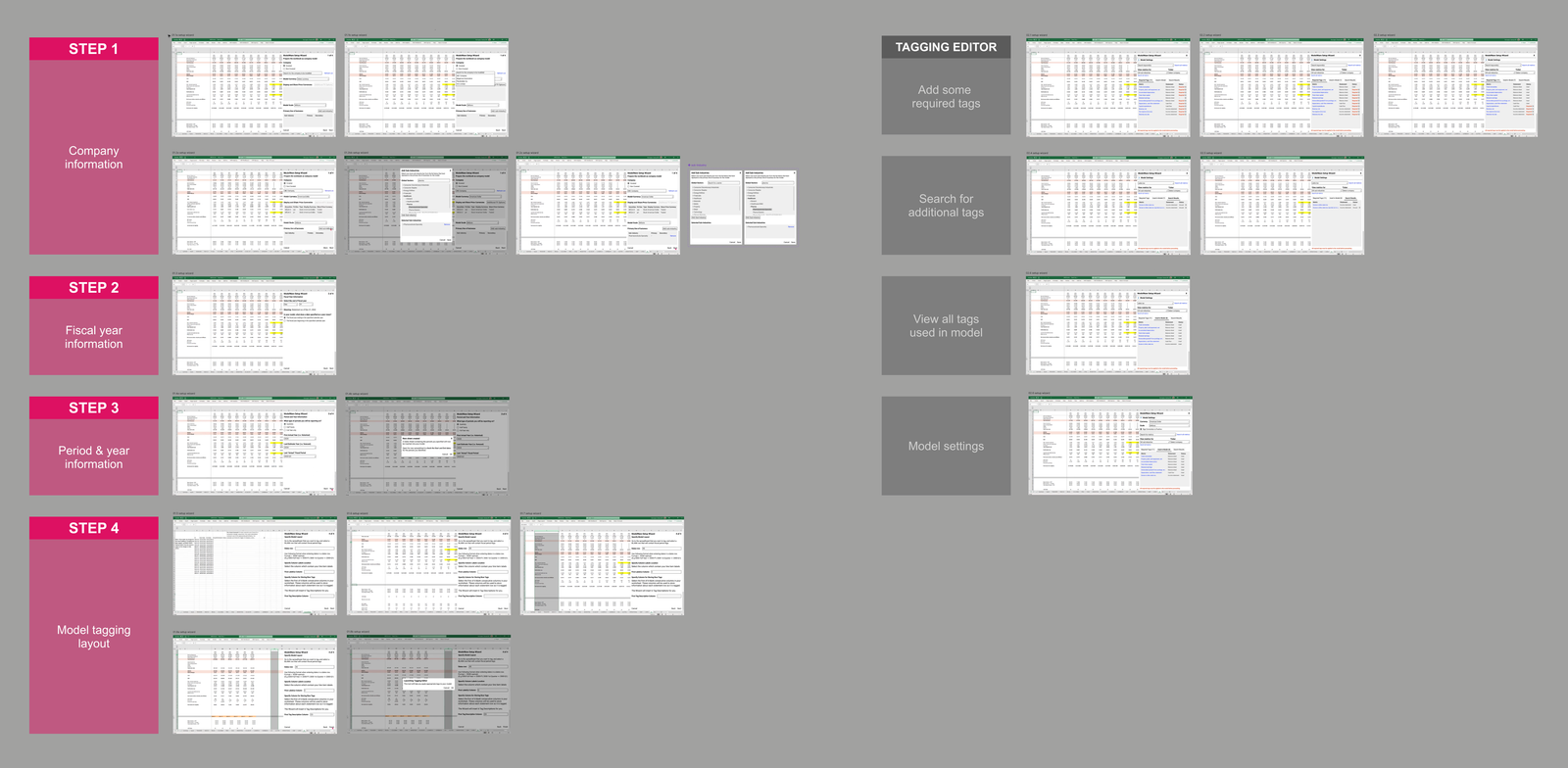
Initiation, or creating a new model, occurs rarely over the course of an analyst’s career. More often they are maintaining the same model over a long period of time. The Setup Wizard guides users through the necessary steps to set up a new file in Excel,
Tagging Editor
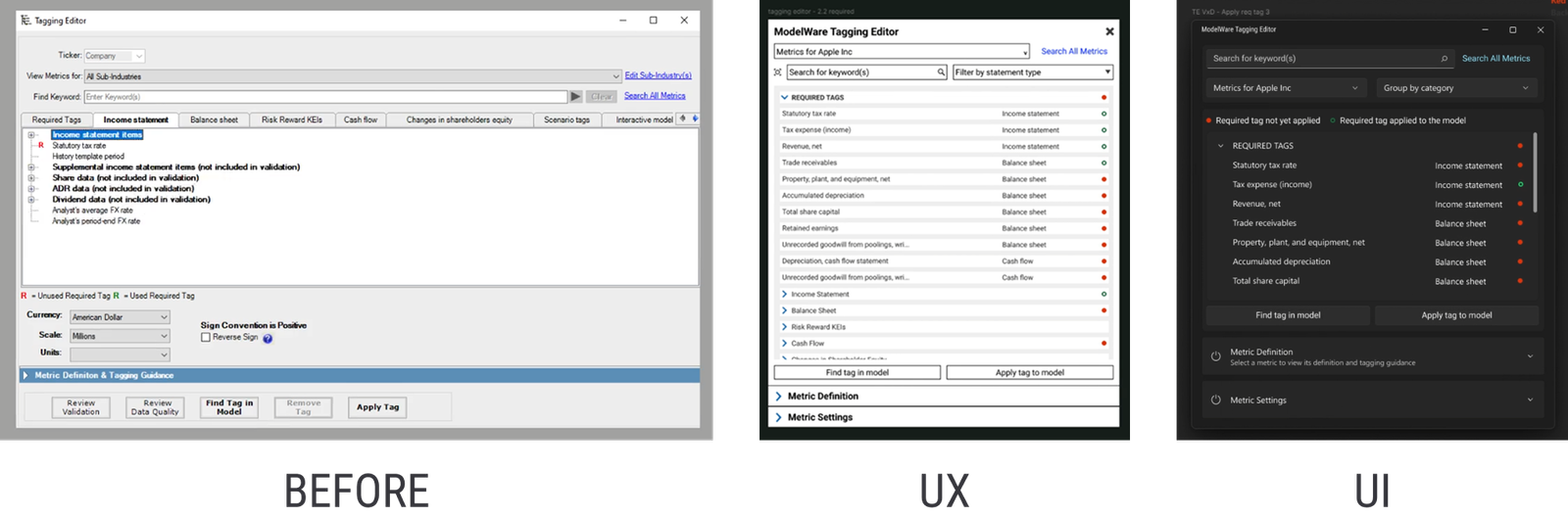
Tagging Editor, which allowed users across over 40 countries to collaborate on files by using the same tagging architecture.
Workbench
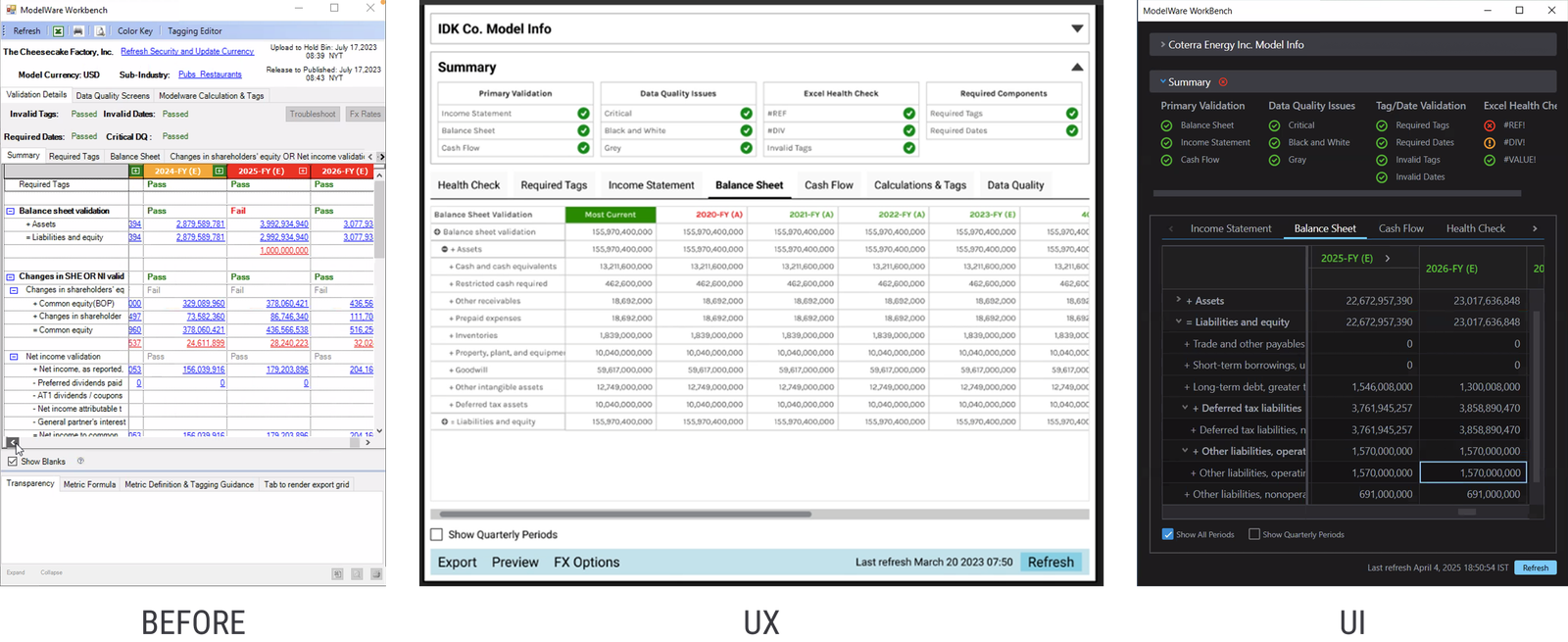
Workbench, the essential dashboard that enables users to validate their work and correct errors before publication.
Not with a bang but…
Management opted for a gradual release cycle, which meant we updated the modules as they were designed and developed. While this meant there wasn’t an opportunity for a grand relaunch party, it did allow us to learn from our users directly as the tool evolved.